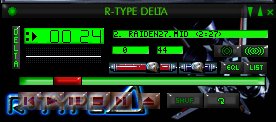
When you want to use a
skin in Winamp, you need to create a subdirectory for it
within your Winamp skins directory, and then unzip the
skin to that directory you created.
Winamp is usually stored within the Program Files
directory on your hard
drive. If it's somewhere else, just unzip the skin to
where ever else it needs to go.
If for example, you wanted to use my R-Type Delta skin,
you create a
directory called R-Type (or whatever you wish to use),
within the directory Winamp\Skins\.
Once you've got the skin unzipped to a new directory in
the Skins directory,
Use Winamp's Skin Browser (in the Options menu) to change
the skin
you're using in Winamp.
There are a few other nice Winamp shooter skins on the
Web too, like a
Gradius skin...so once you're used to getting Winamp
skins to work, try
looking for some more!
Cya later!
Luke O'Sullivan.
lbosullivan@hotmail.com
|