Convert HTML in Word
This little tool works exclusively with Microsoft Word and converts formatted text in table cells to and from HTML text.
When HTML based text was introduced to the Casewise Corporate Modeler not all components recognised and processed the HTML, Automodeler being one of them.
The consequence of this is that Automodeler unloads HTML text is raw, unprocessed, text form and loads formatted text in the old internal mark up language. For many this is not the desired format.
The omrConvertHTMLinWord.exe tool will perform the conversions so that Automodeler does not need too and works with any open Word document that contains word tables.

The tool looks at every cell in every table in the active document and converts suitable cells according to the “direction” of the conversion.
Convert HTML to Word formatting
Converts Word tables looking like this:
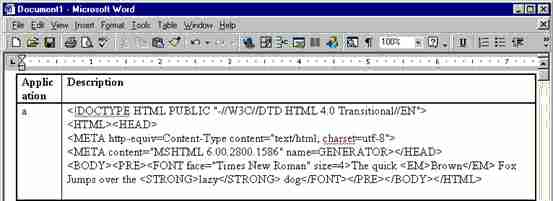
To this:

The conversion in this direction assumes that the HTML in the table cell is intact and consistent.
Convert Word formatting to HTML
Convert tables looking like this:
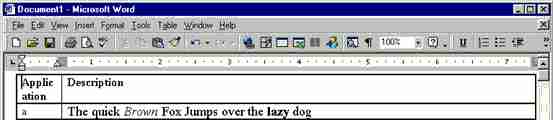
To this:

The tool does not process the first row on the assumption that it is a heading.
The HTML coding is generated by Microsoft Word and is particularly verbose but produces exactly the same results as the “lean” implementation used by the Casewise Corporate Modeler.